
Met deze iLogic regel kan je in een tekening een nieuwe sheet maken per model state in je basis model.
Om te starten heb je 1 sheet met een base view nodig. Annotaties zoals afmetingen en teksten worden meegenomen en up-to-date gezet. Iedere nieuwe sheet krijgt de naam van de Model State. De [Primary] model state wordt overgeslagen.
Hier zie je de iLogic regel in actie:
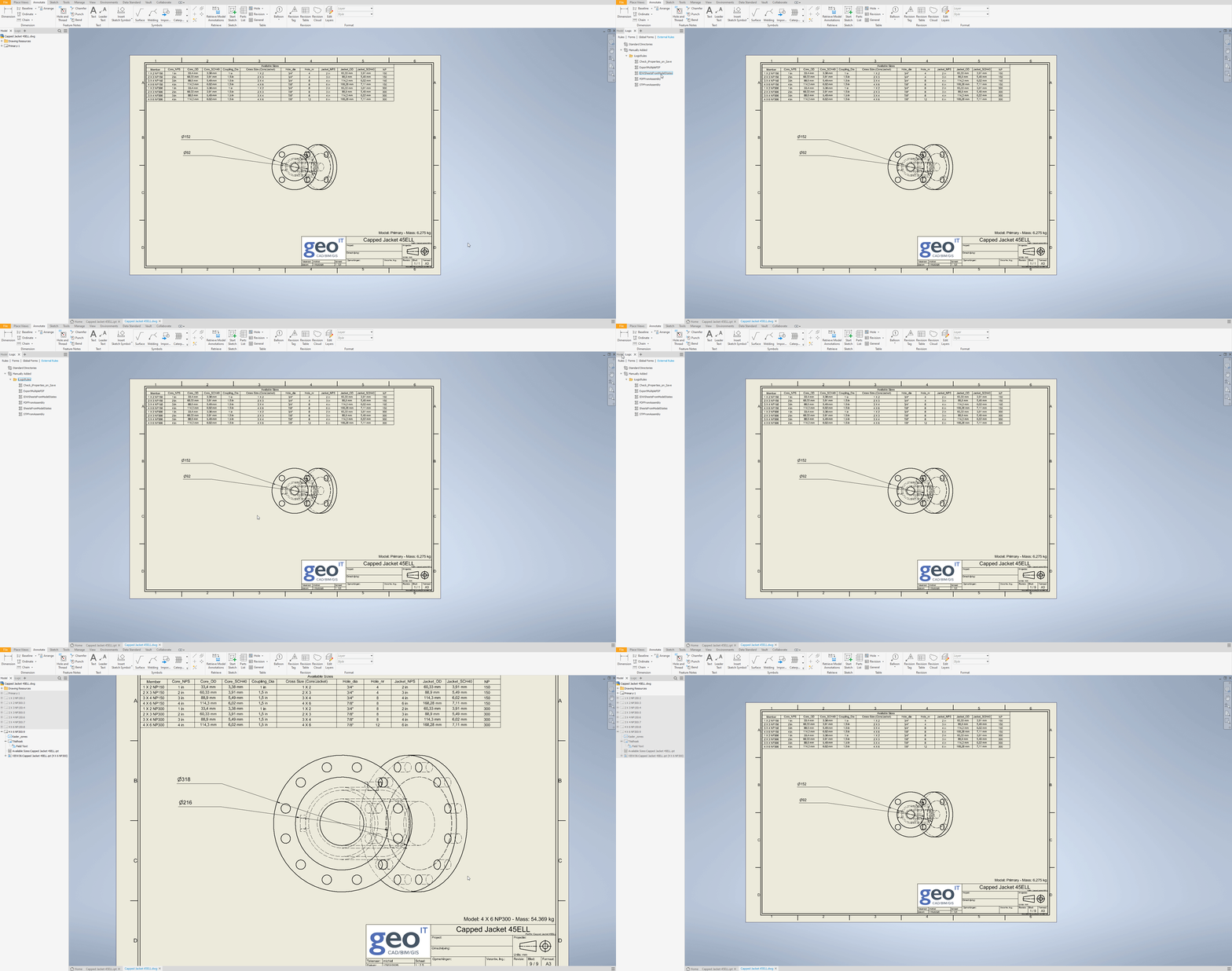
Dit is de volledige code:
Sub Main
  ' iLogic Rule: Duplicate Sheets for Model States
  ' This rule duplicates an existing sheet for each model state in the referenced part/assembly,
  ' updates the base view to match the corresponding model state, and renames the sheet.

  ' Get the active document (assumes it is a .idw file)
  Dim oDrawingDoc As DrawingDocument = ThisApplication.ActiveDocument

  ' Get the first sheet (this will serve as the template for duplication)
  Dim oTemplateSheet As Sheet = oDrawingDoc.Sheets.Item(1)

  ' Get the referenced model from the base view on the template sheet
  Dim oBaseView As DrawingView = oTemplateSheet.DrawingViews.Item(1)
  Dim oReferencedModel As Document = oBaseView.ReferencedDocumentDescriptor.ReferencedDocument

  ' Get the model states from the referenced model
  Dim oModelStates As ModelStates = oReferencedModel.ComponentDefinition.ModelStates

  ' Ensure the model states collection is not empty
  If oModelStates.Count = 0 Then
      MessageBox.Show("No model states found in the referenced model.", "Error")
      Return
  End If

  ' Loop through the model states and create a sheet for each
  ' start count at 2 to skip [Primary] model state
  For i As Integer = 2 To oModelStates.Count
      Dim oModelState As ModelState = oModelStates.Item(i)

      ' Create a new sheet by duplicating the template sheet, reference the model and change the name
      Dim oNewSheet As Sheet = CopySheet(oTemplateSheet)
    oNewSheet.Name = oModelState.Name

      ' Update the base view on the new sheet to reference the corresponding model state
      Dim oNewBaseView As DrawingView = oNewSheet.DrawingViews.Item(1)
      oNewBaseView.SetActiveModelState(oModelState.Name)
  Next

  MessageBox.Show("All new sheets have been created.", "Done")

End Sub

Function CopySheet(oSheet As Inventor.Sheet) As Inventor.Sheet
                If oSheet Is Nothing Then Return Nothing
                Dim oDDoc As DrawingDocument = oSheet.Parent
                Dim oInvApp As Inventor.Application = oSheet.Application
                If oDDoc.Views.Count = 0 OrElse oDDoc IsNot oInvApp.ActiveDocument Then
                                Try 'it must be the 'active' document (visibly showing on your screen)
                                                oDDoc = oInvApp.Documents.Open(oDDoc.FullDocumentName, True)
                                                oDDoc.Activate()
                                Catch : End Try
                End If
                Dim oCmdMgr As CommandManager = oInvApp.CommandManager
                Dim oCDs As ControlDefinitions = oCmdMgr.ControlDefinitions
                oCmdMgr.DoSelect(oSheet)
                oCDs.Item("AppCopyCmd").Execute()
                oCmdMgr.DoUnSelect(oSheet)
                oCDs.Item("AppPasteCmd").Execute()
                Dim oNewSheet1 As Inventor.Sheet = oDDoc.Sheets.Item(oDDoc.Sheets.Count)
                Return oNewSheet1
End Function
Veel plezier!
Klik hier om te zien hoe je iLogic rules kan inladen en gebruiken in Inventor.
Controleer onze opleidingskalender voor meer informatie over Inventor.